Program Updates
Amigo POS Program Updates
Bug Fix
Amigo POS v9.5.135
3/03/2025
Updated web browser component used bycustomer information screen, customer facing LCD display screen and Quickbooks Online authorization screen to prevent javascript errors that occur with the older browser component.
New Feature
Amigo POS v9.5.135
3/03/2025
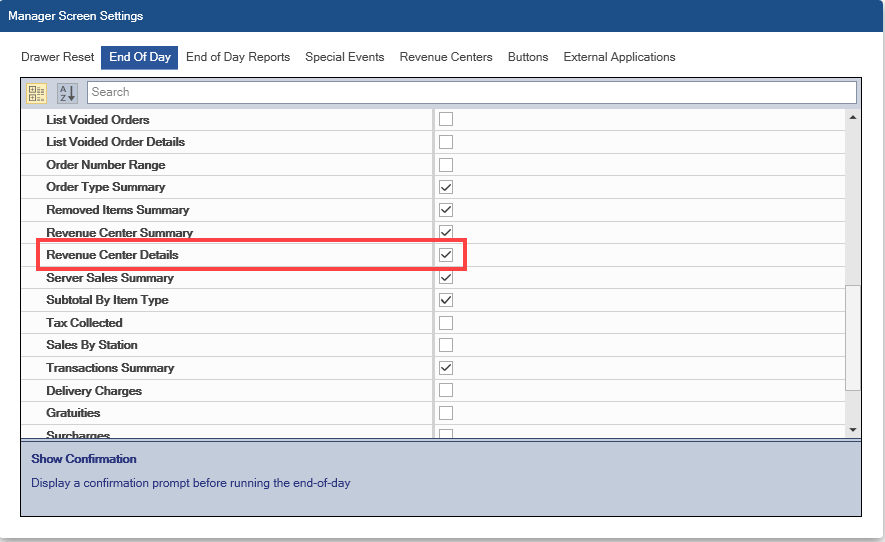
Added revenue center details subreport to end of day report. The subreport can be enabled in back office | settings | main settings | manager screen | end of day.
New Feature
Amigo POS v9.5.135
3/03/2025
The user interface language is now automatically set to correspond with the Windows Control Panel Region settings instead of being set manually in back office.
New Feature
Amigo POS v9.5.135
3/03/2025
Translations are now embedded in the pos, back office and data service application instead of being loaded from the database for improved performance and lower memory usage.
New Feature
Amigo POS v9.5.121
12/23/2024
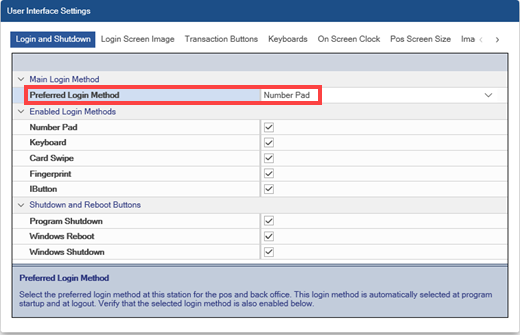
Added setting to set the default login method at each pos station in back office | settings | main settings | user interface.
New Feature
Amigo POS v9.5.121
12/23/2024
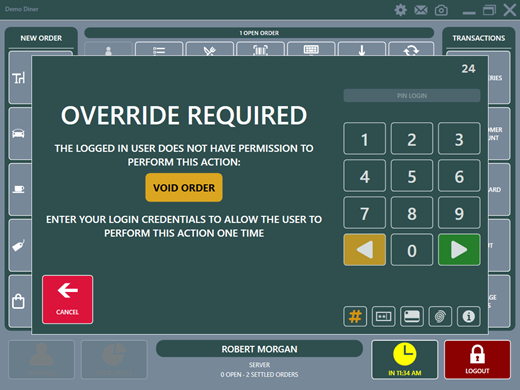
Added permission overrides so that users with insufficient permissions to perform some tasks can request a one time override from a user with valid permissions. Click the help topic link for additional details.
New Feature
Amigo POS v 9.5.120
12/17/2024
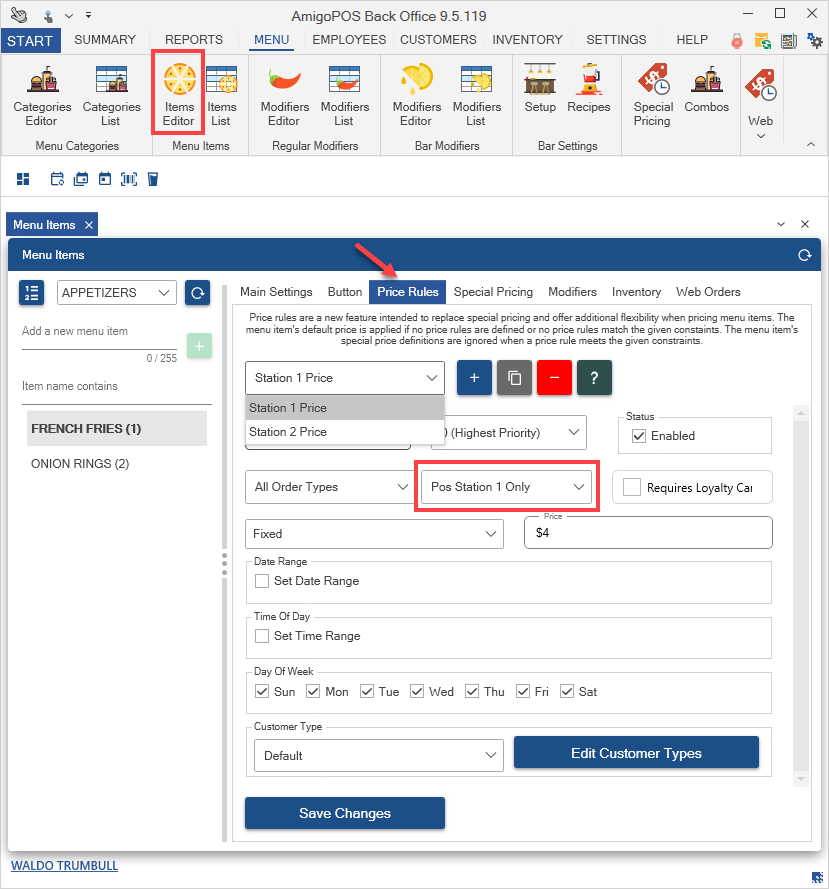
Added price rule pos station option so that the default menu item price can be overridden at any or all pos stations.
New Feature
Amigo POS v 9.5.120
12/17/2024
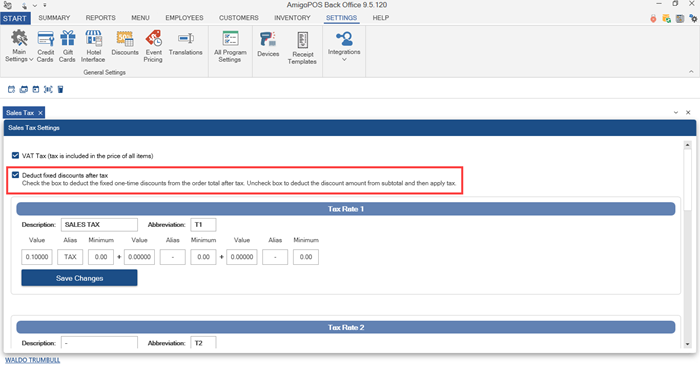
For VAT tax users, added the option to deduct one-time fixed discounts before or after tax.
New Feature
Amigo POS v9.5.111
12/05/2024
New Feature
Amigo POS v9.5.111
12/05/2024
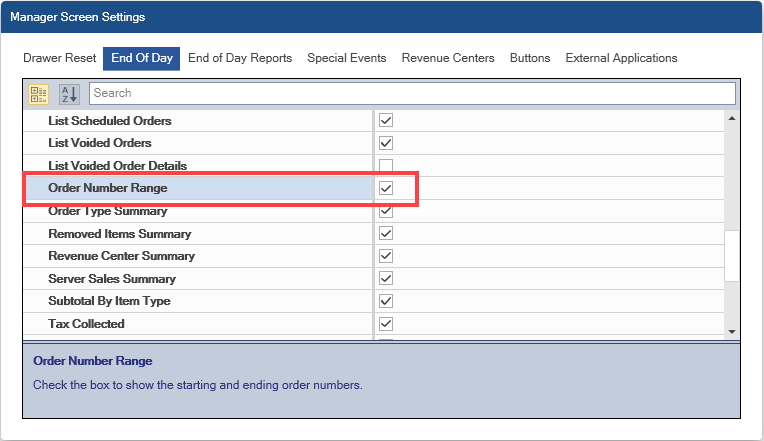
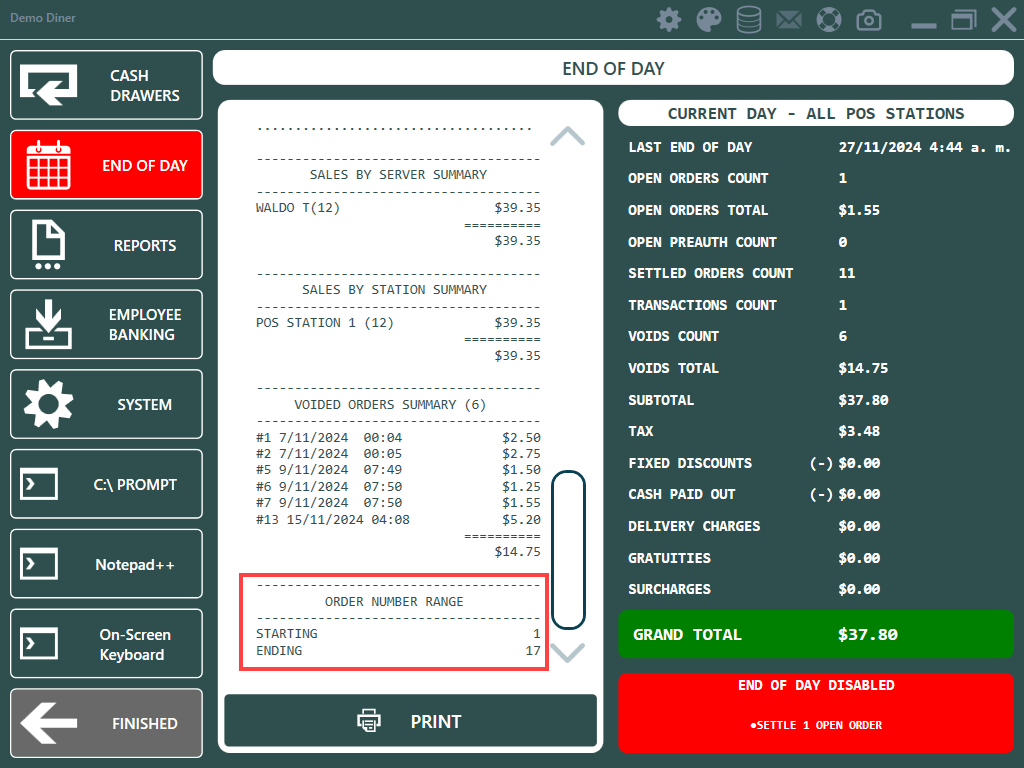
Added the option to display the current business day's order number range on the end of day report.
New Feature
Amigo POS v9.5.111
12/05/2024
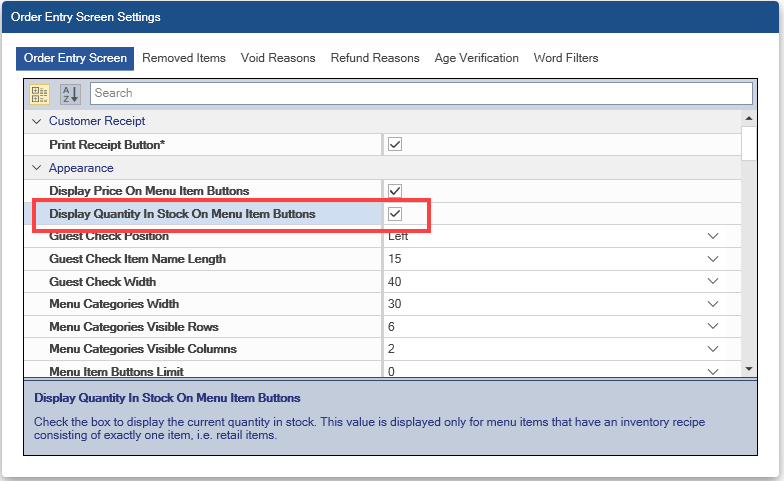
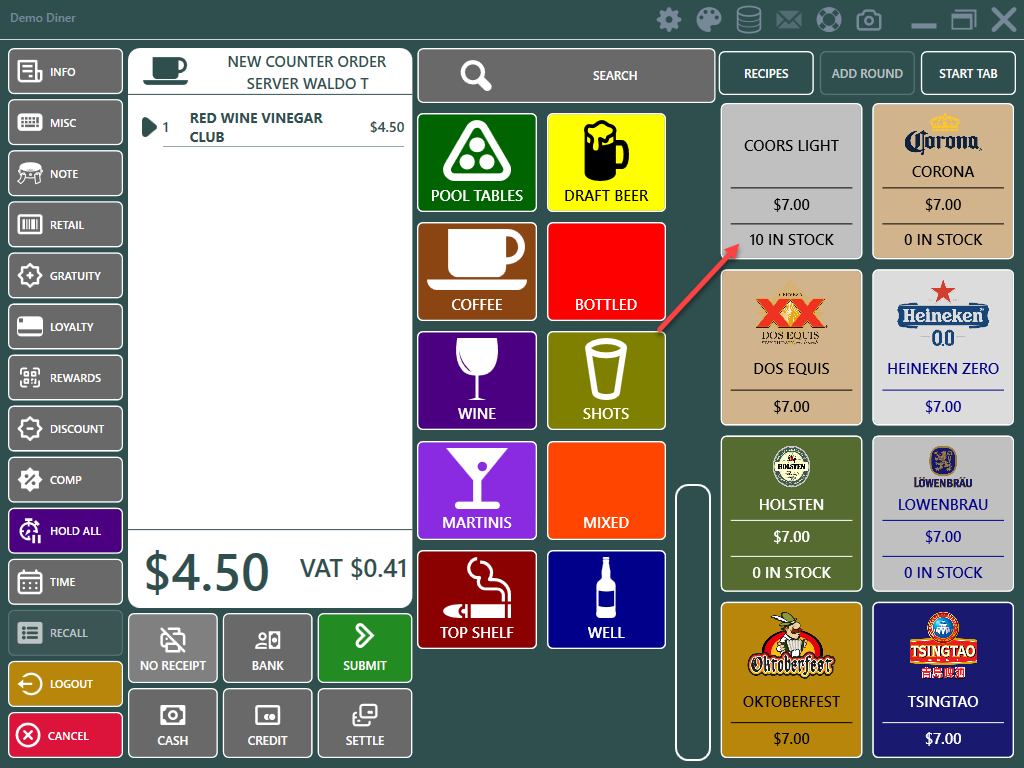
Added the option to display the in stock quantity for regular and bar menu items where the menu item recipe contains only one inventory item.
 +1 more image(s)
Info
Amigo POS v9.5.111
12/05/2024
Due to ongoing Google Play Store issues for international users, the Android app should be downloaded directly from https://amigopos.com/Download/AndroidApk. First time installation requires enabling access for "unknown apps" as described in the YouTube video.
New Feature
Amigo POS v9.5.74
8/22/2024
Added the option to use the computer name instead of the IP address when connecting to the data service.
Info
Amigo POS v9.5.74
8/22/2024
Added additional help topic to assist in troubleshooting data service connectivity issues.
Bug Fix
Amigo POS v9.5.72
8/13/2024
Fixed issue in back office discounts editor where add new discount menu item assignment button is not visible.
New Feature
Amigo POS v9.5.54
7/08/2024
Updated Datacap client controls to dsiEMVUS version 1.78 and dsiPDCX to version 1.93.
New Feature
Amigo POS v9.5.47
5/28/2024
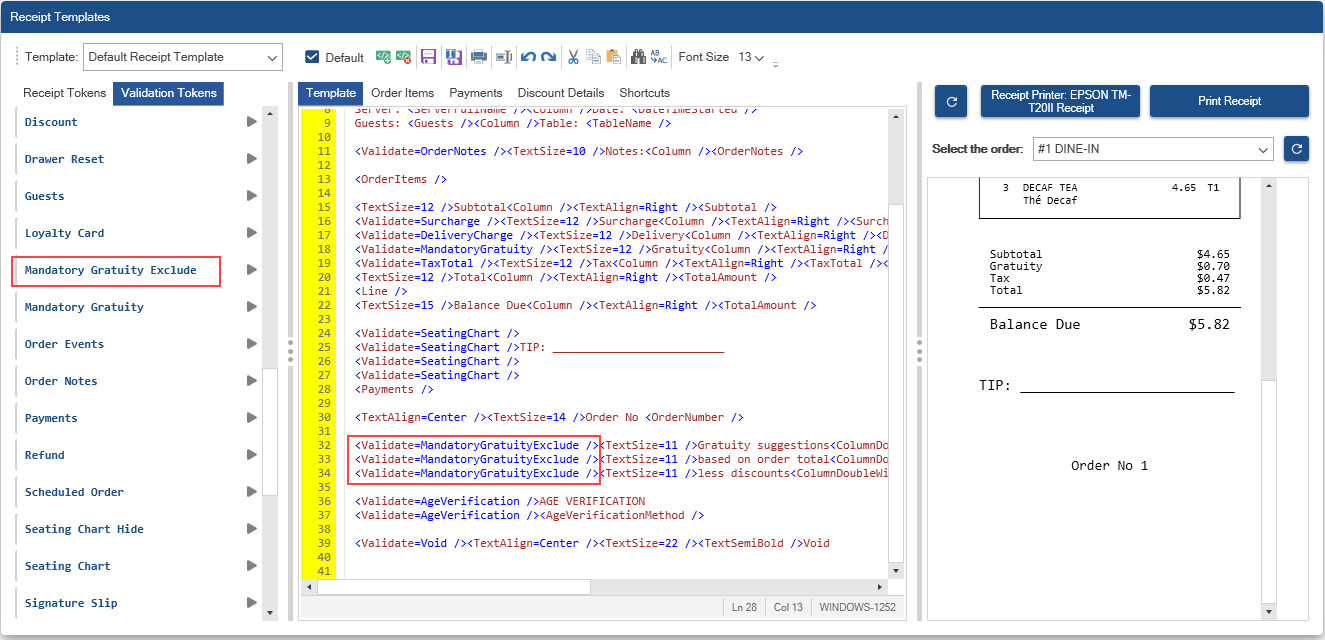
Added customer receipt validation tag <Validate=MandatoryGratuityExclude /> for orders where a mandatory gratuity has been applied.
New Feature
Amigo POS v9.5.44
5/23/2024
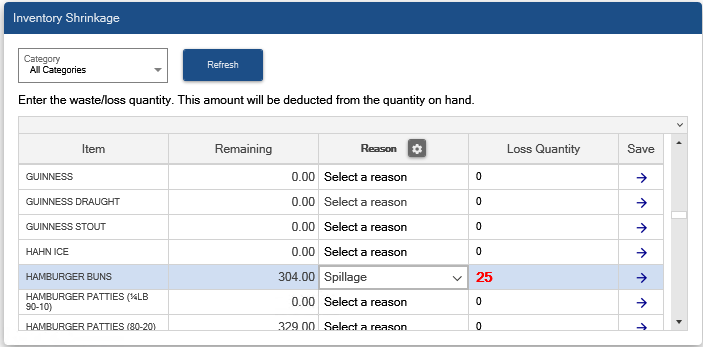
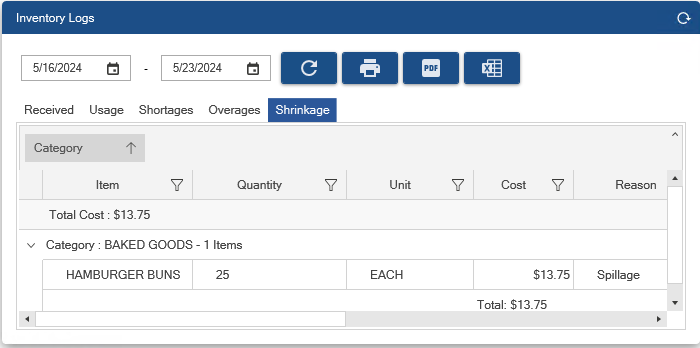
Added dedicated inventory shrinkage screens to back office and the Android pos app so that a physical inventory count is no longer required to enter inventory waste, loss, breakage.
 +1 more image(s)
Bug Fix
Amigo POS v9.5.44
5/23/2024
Fixed issue where user can press the order cancellation button when the mandatory modifiers have not been selected.
New Feature
Amigo POS v9.5.42
5/20/2024
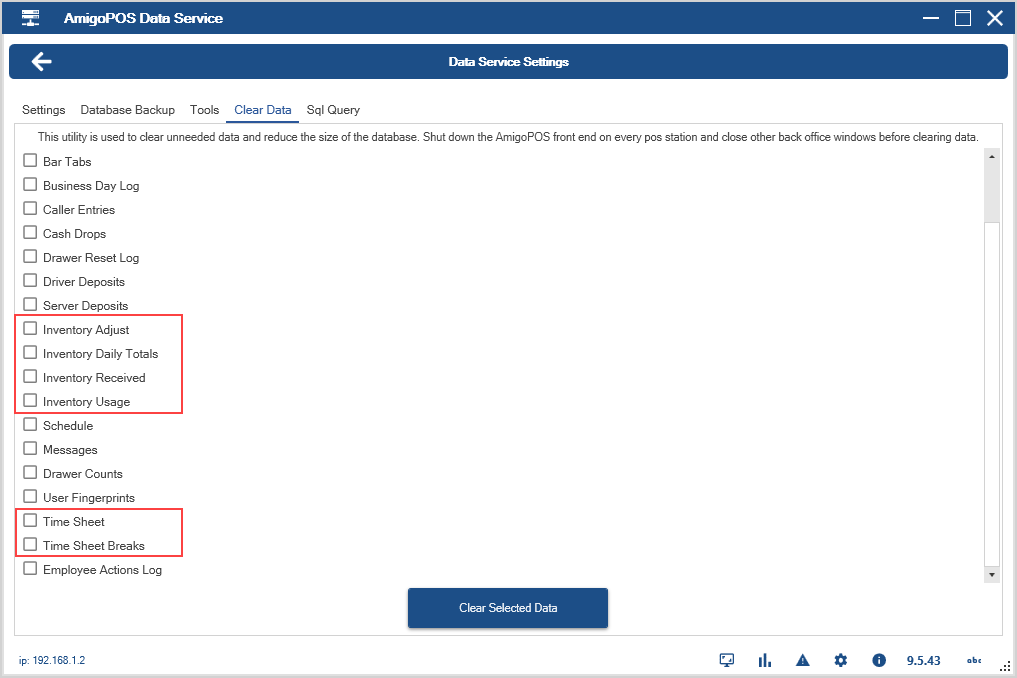
Added inventory adjust, inventory daily totals, inventory received, inventory usage, time sheet and time sheet breaks to the data service application 'clear data' list.
New Feature
Amigo POS v9.5.41
5/18/2024
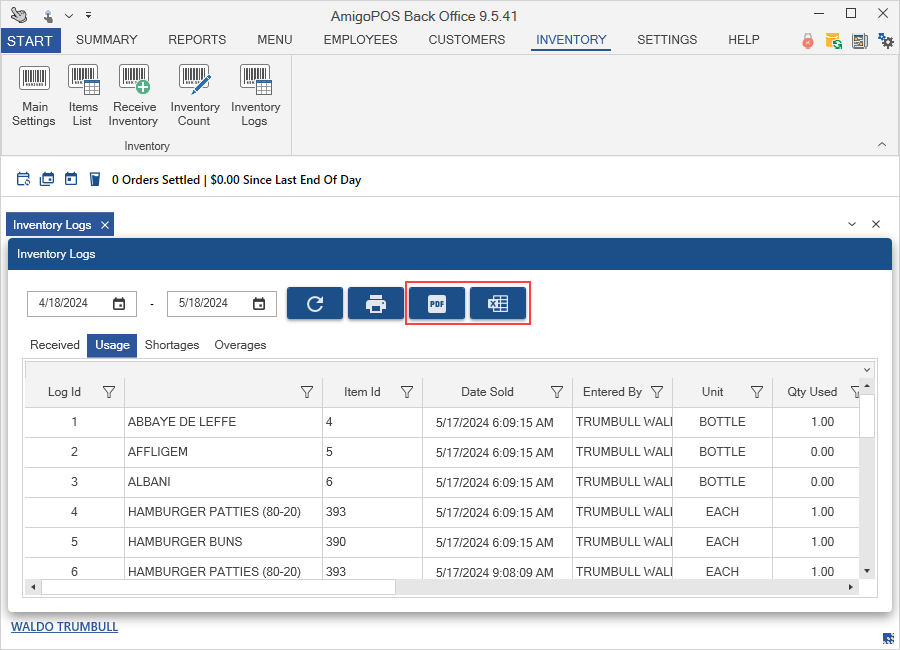
Added buttons on the inventory logs screen to export received, usage, shortages and overages to a PDF document or Excel spreadsheet.